Tutorial: Deploy and Verify an Automated Daily Lottery with Hardhat & Chronos
Hello Helios Community!
Here is a quick-start guide to deploying a fully automated, decentralized daily lottery on the Helios Testnet.
This tutorial shows you how to use Hardhat to deploy and verify a smart contract, and then use Chronos, the native scheduling service, to have it automatically draw a winner every 24 hours. The full source code is available on GitHub for those who want to dive deeper.
Quick Start Guide
This guide will get you up and running in minutes.
1. Prerequisites
- Node.js (v18 or later)
- MetaMask browser extension
- A wallet funded with testnet HLS from the Helios Faucet.
2. Setup
First, clone the project repository and install the necessary dependencies.
git clone https://github.com/azrim/helios-lottery.git

cd helios-lottery

npm install
Next, configure your environment file. This will store your private key for deploying the contract.
cp .env.example .envNow, open the new .env file and add your MetaMask private key.
3. Compile & Deploy
Run the following commands to compile and then deploy the AutomatedDailyLottery smart contract to the Helios Testnet.
npx hardhat compilenpx hardhat run scripts/deploy.js --network helios_testnetAfter deployment, the script will print the new contract's address. Copy this address for the next steps.
4. Verify the Smart Contract
Verifying your contract on a block explorer is a crucial step that builds trust and transparency.
Run the helper script to generate the necessary verification files. The script will prompt you to enter the contract address you just copied.
npx hardhat run scripts/extract-input.js This script creates an output directory containing a verify-input.json file and a detailed markdown tutorial named verify-smart-contracts.md. Open the markdown file and follow the simple steps to verify your contract on the Helios Explorer.
5. Schedule the Task with Chronos
Now that your contract is verified, you can tell Chronos to call the drawWinner function every 24 hours.
- Open the file
scripts/schedule.js. - Replace the placeholder
YOUR_DEPLOYED_CONTRACT_ADDRESSwith your actual contract address. - Run the scheduling script:
npx hardhat run scripts/schedule.js --network helios_testnetThis script calls the Chronos precompile to register the automated task and saves the cronId and cronWallet address to your contract for easy on-chain verification.
How to Verify Your Automated Task
You can get on-chain proof that your task is scheduled and funded.
- Go to the Helios Explorer and search for your deployed lottery contract address.
- Select the "Read Contract" tab.
- Find the
getCronTaskInfofunction and click "Query".
You will see the cronId, the cronWallet address, and a cronWalletBalance of 1 HLS (in wei). This confirms the task is scheduled!
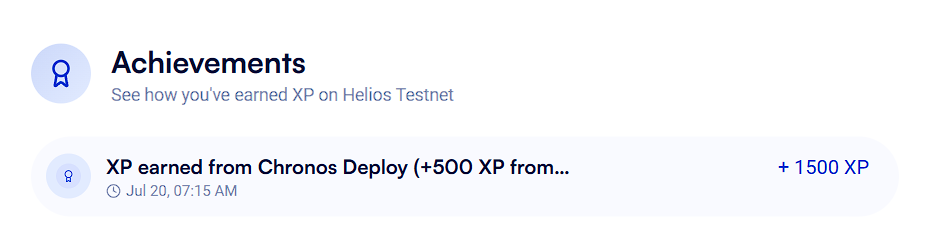
Successfully deploying and scheduling a Chronos task also earns you XP on the testnet!
That's it! Your fully automated and verified DApp is now running on Helios.
For a more detailed, step-by-step guide on how this was built from scratch, you can check out the full README.md on GitHub.